Project Information
Tools Used: Figma | Miro | Zeplin
Roles: Research | Design | User Testing
Method: Design Thinking
Empathize
Creating a coffee app is not just about developing a digital tool, it's about enhancing the entire coffee experience for users. When I was assigned this project from Udacity, I conducted interviews with five different individuals to gather rational feedback. Each person has a unique lifestyle, preference, and perspective. Through this process, I was able to gather valuable insights into the specific needs of users.
Define
Examining the information gathered through research and analysis. Daniel analyzed the observations to understand what core features and experiences caused these users to keep coming back to these locations for their coffee. What certain features or experiences do they look for when trying a new product for the first time?
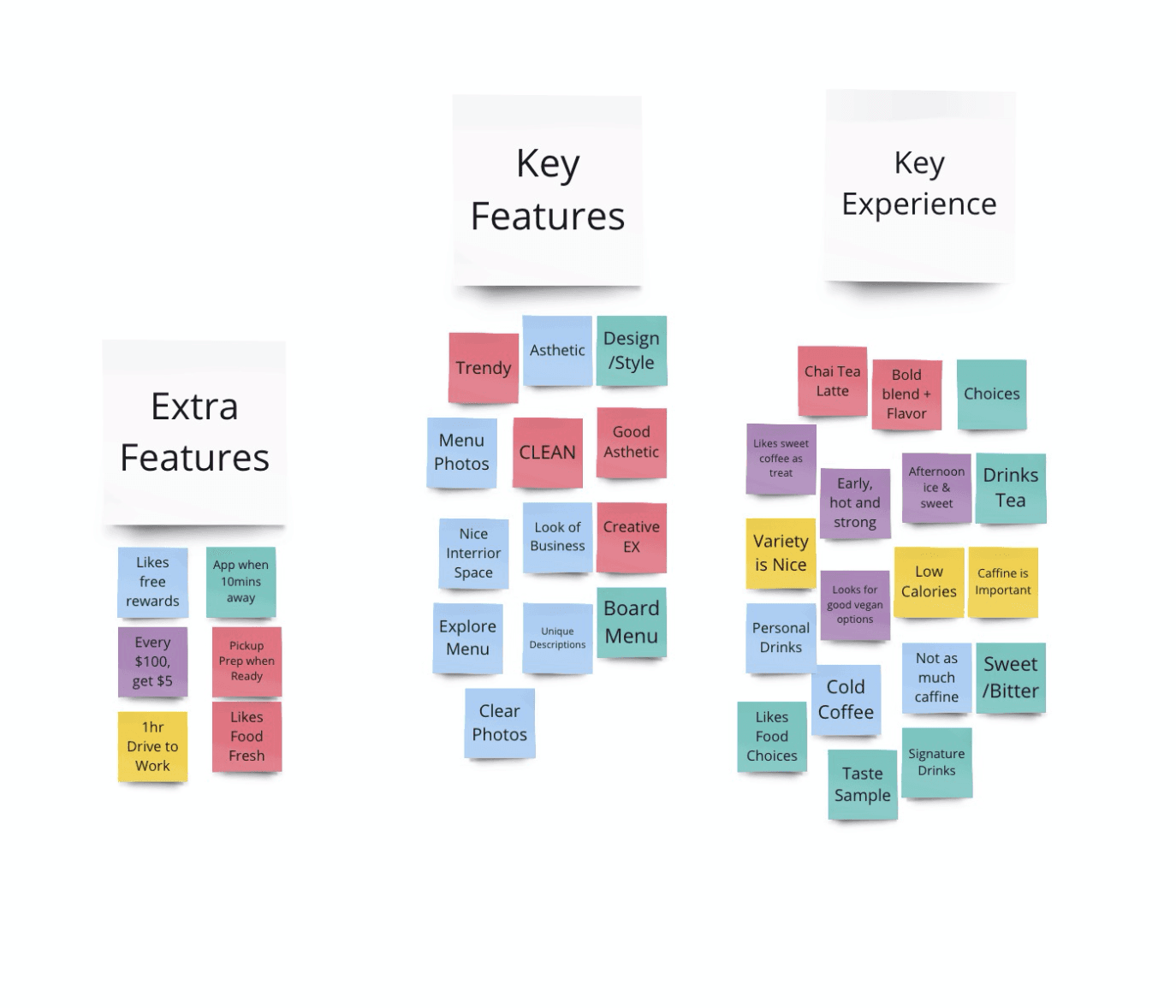
Using Miro, he then collected the information gathered from his interviews to create a visual display of data and analysis. After conducting research and analysis, Daniel examined the gathered information. Analyzing user observations to identify the core features and experiences that made them keep coming back to specific coffee locations.
Ideate
After collecting data from potential users, Daniel brainstormed and identified specific features or experiences that users look for when trying a new product for the first time. He then used Miro to gather all the information and create a visual display of the data and analysis gathered from his interviews.
Prototype
During the experimental stage, several scaled-down versions of the product were created using Figma to test its key features. This prototype was continuously modified based on user feedback to improve the end user's experience. As a result, Daniel gained a clearer understanding of how the end product would be perceived and experienced by users.
Testing & Obstacles
Daniel faced his first obstacle while attempting to create a step-by-step guidance for participants to go through the motions of the app as designed. He encountered troubles from a third-party app, which added extra steps for users to test the prototype. These included creating an account with email and password, turning on the camera with sound, and navigating through an unfriendly system just to get to the first screen of the exercise. This led to early frustrations, and as soon as participants were unsure of what was clickable, they gave up entirely.
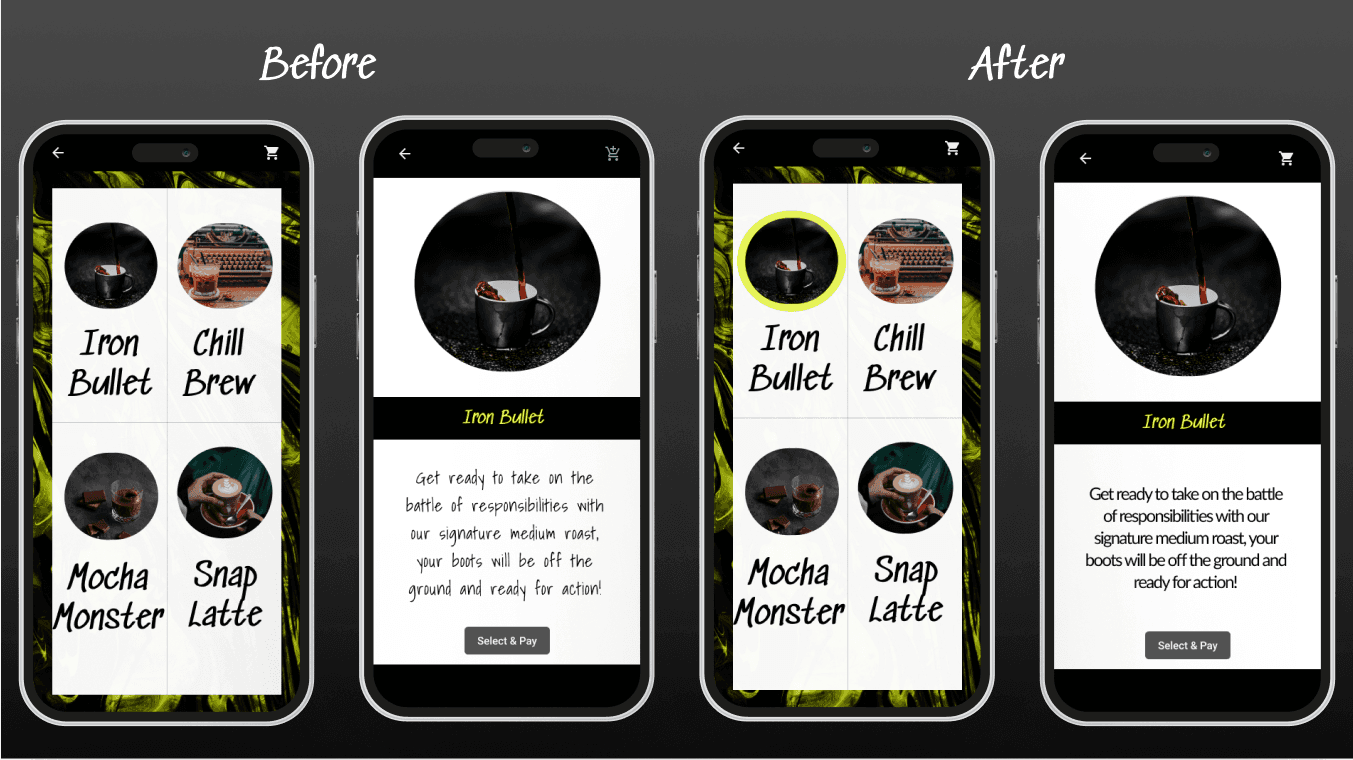
To address this issue, Daniel created a menu of different items to browse, but only a few were actually clickable for the prototype demo to complete the journey. To improve the situation, he created a highlighted circle to show visual indication of what is clickable. He also made changes to the description text of each item to increase readability. After incorporating these changes, the product was ready for handoff and was transferred to a developer for review in Zeplin.
It was through feedback and adaptation that Daniel was able to complete his first product, Grab a Cup, which earned him his nanodegree in User Experience Design.